Introduction
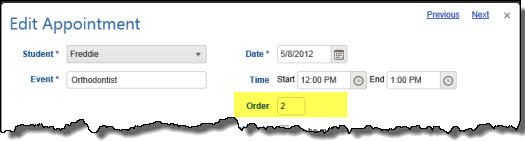
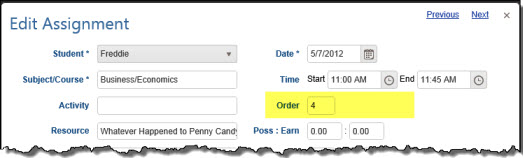
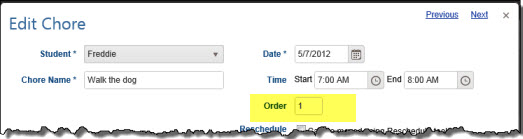
HSTOnline gives you the option to create Appointments, Assignments and Chores using Start/End times or Blocks. In addition to one of those items, you can set a value in the Order field. This field allows you to have more than one task assigned to the same time or block and indicate which should come first, second, etc.
For example - you have a Language Arts curriculum and each day the Student is to spend 10 minutes reviewing vocabulary, 10 minutes doing a grammar exercise, 20 minutes reading, and 20 minutes journaling. With the Order field, you can assign all those tasks for the same start/end times or block number, and then use the Order field to indicate in which order you want those items completed.
Enabling the Order Field
The Order field is optional and can be enabled and disabled via Program Options in the HSTOnline menu. By default, the Order field is disabled.
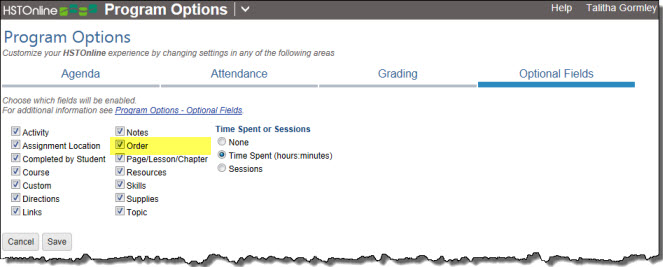
- On the HSTOnline menu, click or touch Program Options.
- On the Program Options page, click or touch Optional Fields.
- Click or touch the box next to Order to add a checkmark to enable the field; or to remove a checkmark to disable the field.
- Click or touch Save to keep your changes.
- Click or touch 'Ok' on the 'Changes Saved' window.
Order Field in HSTOnline Forms
Below are screen shots of each of the forms where you can set the Order field, for reference purposes.